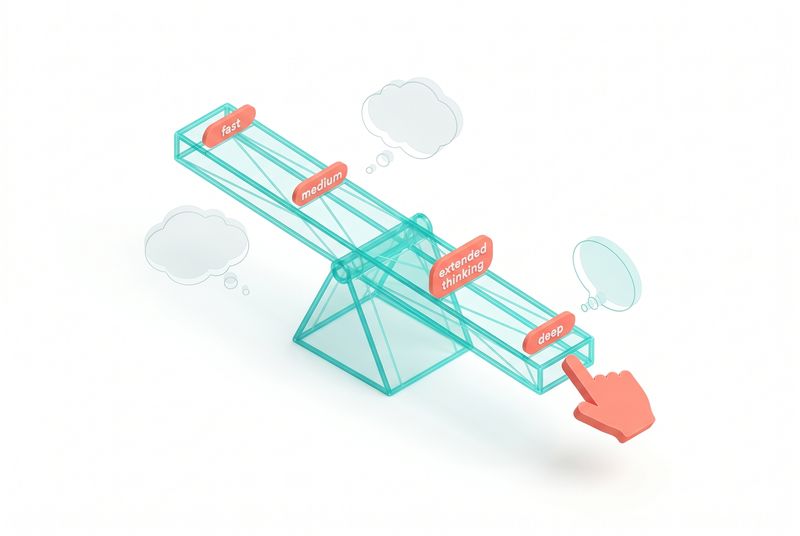
The Thinking Lever
Hello, friends.
I have been thinking about effort settings for a week now, ever since I watched Alexander Bricken's talk at Code with Claude London. He works on the Applied AI research team at Anthropic, and his session was called "the thinking lever." It is twenty-one minutes long, and it changed how I am going to configure my next few deployments.
The hook of his talk was disarmingly simple. One prompt. Same model. Three effort levels. Watch what happens.
The prompt was a car simulation on a one-way street with a traffic light. Opus 4.7 on low effort produced a working sim with the traffic light placed in the middle of the road, which makes no physical sense but did not break the simulation. High effort took twice as long, added different vehicle types, and moved the traffic light to overhang the road. Max effort took ten times the tokens and produced a richer scene with a skyscape, physically plausible traffic light placement, and vehicles that reacted to each other.
Each step up was visibly better. Each step cost meaningfully more. The interesting part is what the demonstration revealed about how we should think about the lever, not about how impressive the output was.
I want to walk through three ideas from that talk that I think most people configuring Claude get wrong, and what to do about it.
Three key takeaways
- Thinking is a capability the model picks up when needed. Treating it like an on-off switch removes a useful tool.
- The effort curve flattens fast at the top. Max effort delivers gains, but you pay for them at a rate that rarely justifies the choice.
- Pick the model first, then set the lever. A big model on low effort almost always beats a small model on max effort.
There is a broader story behind this lever that Bricken touched on but did not dwell on. Anthropic showed two curves at the start of the talk. The first was familiar. Bigger model, better performance. Haiku, Sonnet, Opus climbing toward roughly 80 percent on an internal agentic coding benchmark. The second was the same chart with a different x-axis. Instead of model size, the axis was tokens spent at inference time, plotted logarithmically. The curve looked similar. More tokens, more thinking, better answers.
That second curve is what makes the lever interesting. Token spend at inference is now a design parameter on the same level as model choice. Two years ago, you picked a model and lived with what came out. Today you pick a model and you pick how hard it works on a given turn. Those are independent dials, and most teams are only using one of them.
Bricken also gestured at the METR benchmark, which tracks how long a model can work autonomously at human-equivalent quality. The current state of the art sits around 16 hours of human work at 50 percent accuracy. That doubles roughly every seven months in METR's tracking. That means within a few model generations, we are talking about days of autonomous work. After that, weeks. The lever is going to matter more, not less.
What test time compute actually is
Bricken broke test time compute into three categories, and the distinction matters because the right answer depends on which you mean.
Thinking space, which is the scratch pad where Claude works through what was asked. Tool calling, which is anything that touches the world outside the prompt, file reads, MCP servers, Salesforce calls, web searches. Text output, which is the actual response back to you.
All three cost tokens. All three are levers. People tend to talk about "thinking" and mean only the first one, which leads to the configuration mistake I want to dig into.
The mistake most people make
Anthropic shipped reasoning models with a thinking toggle. You could turn extended thinking on or off. That sounds like an effort control. It is not.
When you turn extended thinking off, you are not asking the model to think less. You are removing the scratch pad entirely. The model loses access to a capability it would otherwise reach for when the problem deserves it.
Bricken's analogy landed cleanly. We do not tell Claude to never use the search tool. We do not tell it to always use the search tool. We give it the search tool and trust it to decide. Thinking should work the same way. Hand the model the capability. Tune effort, which controls how much budget the capability has when the model does decide to use it.
This is the difference between a knob and a switch. The thinking toggle was a switch. The effort dial is a knob. Use the knob.
Adaptive thinking changed the rules
The current generation of Claude uses adaptive thinking, which is a substantial shift from how reasoning models worked a year ago.
The first version was rigid. Ask a question. Model thinks for a fixed block. Model executes tool calls. Model returns. Then came interleaved thinking, which let the model think after each tool call. That was an improvement but still mechanical.
Adaptive thinking gives the model real agency over its own reasoning rhythm. It can think three times in a row if the problem needs it. It can skip thinking entirely on something trivial. It can call three tools without thinking, then think for a long block, then output text. The model is choosing.
Anthropic's benchmarks show this is Pareto efficient compared to interleaved thinking. Same intelligence ceiling. Fewer wasted tokens. The reason is intuitive once you see it. The model knows better than a fixed rule when reflection is worth it.
There is one operational gotcha worth knowing. The trace from adaptive thinking is more variable than what teams are used to. Some turns have heavy thinking blocks. Some have almost none. Observability dashboards that were tuned for the older pattern can flag this as anomalous when nothing is actually wrong. The model is just allocating differently per task.
What the effort curve looks like in practice
Five effort levels: low, medium, high, extra high, max.
Max delivers gains on the hardest tasks. The curve flattens. The traffic simulation went from extra high to max with roughly double the tokens for a marginal quality bump. Anthropic's guidance is not to start here unless the use case absolutely requires it.
Extra high is the default Anthropic ships on Claude Code and Claude.ai. They consider it the best general trade-off across intelligence, latency, and tokens. When in doubt, this is where to start.
High is solid for use cases that need any intelligence but care about speed. Medium and low exist for tasks where intelligence is not the binding constraint. Classification. Summarization. Data extraction. Things where decisiveness and throughput matter more than careful deliberation.
There was a counterexample I cannot get out of my head. Claude Plays Pokemon, where Claude tries to beat the Elite Four in Pokemon Red, runs differently at different effort levels. On low effort, Claude found creative shortcuts. Repels to skip wild encounters. Escape routes out of caves. Running from grass battles. The constrained thinking budget pushed it into an unusual attractor state, and it actually moved through the game faster than it did with more deliberation.
Sometimes constraining the model produces more interesting behavior. Not better in every dimension, but more decisive, more inventive about working around the limits. Worth keeping in mind when designing agents for environments where speed and commitment matter more than perfect planning.
Big model, low effort beats small model, max effort
The other question I get a lot is which model size to pick when budget is tight.
Bricken showed the same traffic simulation on Haiku 4.5 with comparable tokens to Opus low effort. Same tokens. Half the time. Visibly worse output. His verdict was honest: "I don't even know if those are cars."
The conclusion is that if the task needs intelligence at all, you are usually better off with the larger model, even at low effort. Small models earn their keep when the outcome is so simple that scale and reasoning capacity are not the binding constraints.
The trap is reasoning about cost in isolation. Haiku looks cheaper on the price sheet, so the assumption is it must be cheaper in production. That math only holds when Haiku can actually do the job. When it cannot, you pay for the failed Haiku call, plus the Opus call that cleans up, plus the human time to verify the cleanup worked.
The exception is volume. High-throughput tasks where each call genuinely does not need much intelligence, like tagging support tickets into five buckets, are exactly where small models belong. The setup that works is small model as the first pass, with escalation to a bigger model when confidence is low. Two models in series, used appropriately, often beats one model pushed past its comfort zone.
One more thing about model size. There is a tendency, especially when costs creep up, to look for ways to push as much traffic as possible to the smallest model that seems to work. That impulse is reasonable for tasks that are genuinely simple. It is dangerous for tasks where the simplicity is an assumption rather than an established fact. The way I have started framing this with clients is to ask whether they have measured the task or only imagined it. If they have not measured it, the safer move is the bigger model on lower effort. If they have measured it and the small model holds up across the eval set, then they have earned the right to use the small model.
What I am taking into client work
This talk shifted a few defaults for me. I want to flag them because they show up in real deployments.
First, stop disabling thinking to save money. If you want to save money, dial effort down. The model can still reach for the scratch pad when it actually helps. You preserve the option and reduce average spend.
Second, build a small evaluation harness with hard, representative problems. Run them at low, high, and extra high. Look at where the curve bends for your specific task. Most teams skip this step and pick effort settings based on vibes.
Third, default to extra high when you cannot evaluate properly. It is what Anthropic ships, and it is a defensible starting point.
Fourth, pick model size before tuning effort. Get the bigger model into the workflow. Then tune the lever.
Fifth, think in terms of tokens per resolved task, not tokens per response. The cheapest call is rarely the cheapest outcome.
There is a sixth thing I have been adding to my own setups, which is logging the effort level alongside everything else. Most teams log model name, prompt, response, and maybe token counts. Few teams log the effort setting. When you start looking at performance variance over time, having that field in your logs makes it much easier to attribute regressions or wins to the lever versus the prompt versus the model version. It is a small bit of plumbing that pays off the first time you need to debug why answers got worse last Tuesday.
Where this goes
The closing minute of Bricken's talk pointed forward. Today you set effort. Tomorrow you set budgets. You tell Claude, here is a long-horizon task, here is what I am willing to spend, here is when I need it done. The model figures out how to allocate compute across the work.
That changes the operator role. The skill stops being choosing effort per call. It becomes articulating constraints clearly enough that the model can plan against them. Less micromanagement. More delegation.
For now, the lever is in your hand. The thing worth doing this week is treating it that way. Stop disabling capabilities. Stop reaching for max as a default. Run the eval. Pick the model. Set the effort.
Hit reply and tell me which effort level you currently default to and why. I am curious whether the patterns I am seeing in client work match what you are seeing in yours.
Talk soon, Marco