Claude Code Has 499 Config Surfaces. /config Shows 12. Here Is the Rest.
Three key takeaways
- The official
/configcommand in Claude Code shows roughly a dozen settings. The actual configuration surface, extracted from the Claude Code binary itself, is 499 entries deep: 434 environment variables, 30 settings.json keys, 14 CLI flags, 11 slash commands, and 10 hook events. Most of them have no documentation page. - The undocumented variables work. They were extracted directly from the Claude Code binary with
strings, then categorized and described.cccfgis a small TUI that puts all of them in one keyboard-driven view, with live current-value lookup and in-place editing of settings.json with atomic writes and automatic backup. - Install with
pip install cccfg. It ships with my upcoming Claude Code book and is live on PyPI. Five cookbook recipes alone (managed lockdown, max privacy, vault-backed auth, CI-clean runs, bigger Bash outputs) cover most of the configuration questions I get asked in client engagements.
I have been working with Claude Code on production codebases for over a year. Somewhere around month six, I started keeping a private notes file of environment variables and settings.json keys I had bumped into while debugging something. The file got to about 80 entries before I admitted it was a tool, not a notes file. Then I went further. I dumped the strings out of the Claude Code binary and saw what was actually in there.
The answer was 434 environment variables. That is the number that ended up driving everything else.
This article is about cccfg, the tool that came out of that. What it is, why it exists, what is actually in the binary, and how to use it. It ships with my Claude Code book and it is live on PyPI today.
Why `/config` Is Not Enough
/config is the official, in-product way to look at and change Claude Code's configuration. It is intentionally minimal. The team has chosen to show the dozen or so settings most users need most of the time, with a friendly editor for each one. For everyday use, that is the right call.
The cost is that almost every interesting question about Claude Code's behavior lives outside of /config. A short sample of what is not surfaced anywhere in the official UI:
CLAUDE_CODE_API_KEY_HELPER_TTL_MScontrols how long Claude Code caches the result of yourapiKeyHelperscript. If you have hooked up Vault or 1Password CLI for auth, this is the knob that decides whether your team gets a key fetch every prompt or a sensible cache.CLAUDE_CODE_DISABLE_NONESSENTIAL_TRAFFICis the strict air-gap toggle. It blocks all outbound non-essential traffic. Critical for regulated industries, invisible from/config.MAX_MCP_OUTPUT_TOKENScaps how much an MCP tool can return into the context. If you have ever wondered why your MCP server is silently truncating responses, this is the knob.BASH_MAX_OUTPUT_LENGTHdecides how much of your Bash output Claude actually reads. The default is conservative. If you run long builds or migrations, this is the knob.CLAUDE_CODE_DISABLE_LEGACY_MODEL_REMAPpins model versions for reproducibility. Important if you are running deterministic agent pipelines.ANTHROPIC_CUSTOM_MODEL_OPTIONlets you register your own model in the picker. Useful for proxy setups.strictPluginOnlyCustomizationis the managed enterprise lockdown that says skills and hooks can only come from managed sources. The setting that compliance teams actually want.- Every
DISABLE_*toggle. There are 23 of them. Most of them control specific commands or behaviors that nobody mentions until something stops working.
Most of these have no docs page on docs.claude.com. Some are referenced in code.claude.com guides if you know to search. Some only become visible when something they govern breaks and you go searching for the cause.
For an individual developer, this is annoying. For a team rolling Claude Code out across an engineering org, this is a problem. The compliance review wants the full list. The CISO wants the full list. The platform team that is templating the install for the rest of the company wants the full list. Nobody has the full list.
How the Catalog Got Built
The Claude Code binary on macOS is a native arm64 Mach-O executable. The Anthropic team ships it as a single binary you install through a script. It has all of its strings compiled into it, like any binary does.
strings is a Unix utility that has been around since the 1970s. Pipe a binary into it, get every printable ASCII run out of it. Most of the output is noise. Compiler artifacts, library names, internal symbols. A small portion of the output is the actual configuration surface of the program, because programs reference their config keys by name in their own source code.
The filtering rules that produced the catalog:
CLAUDE_CODE_*envvar pattern: 243 matches.CLAUDE_*envvar pattern: 66 additional matches.ANTHROPIC_*envvar pattern: 46 matches.DISABLE_*toggles: 23 matches.BASH_*,MCP_*,MAX_*envvar patterns: dozens more.- Slash command names starting with
/: 11 matches. - Hook event names like
PreToolUse,SessionStart,Stop: 10 matches.
Total: 434 env vars, 30 settings.json keys (combining documented and discovered), 14 CLI flags, 11 slash commands, 10 hook events. 499 entries.
For each entry, I added:
- The identifier itself (env var name, settings.json key, CLI flag).
- The kind (env, settings, cli, slash, event).
- A category for grouping in the TUI (Auth, Models, Hooks, MCP, Telemetry, etc.).
- A boolean flag for whether the entry is officially documented or only discovered.
- A one-line summary.
- A longer description.
- A "use case" line: when you would reach for this knob.
- An example value where one applies.
- The documented default if known.
The first hundred or so entries got hand-written descriptions based on my own deployment notes. The remaining three hundred-plus were auto-categorized by naming pattern, with a short summary derived from the name. They carry a "Discovered" tag in the TUI so you know which is which. The distinction matters: documented entries have Anthropic's commitment behind them, discovered ones are real but undocumented and could change.
That separation, documented versus discovered, was the design decision I am most happy about. It is honest. It lets you trust the documented ones for production and treat the discovered ones as a debugging surface. It also makes the catalog actually maintainable. When Anthropic ships a new Claude Code version, you re-run strings, diff against the catalog, and decide where the new entries go.
The TUI
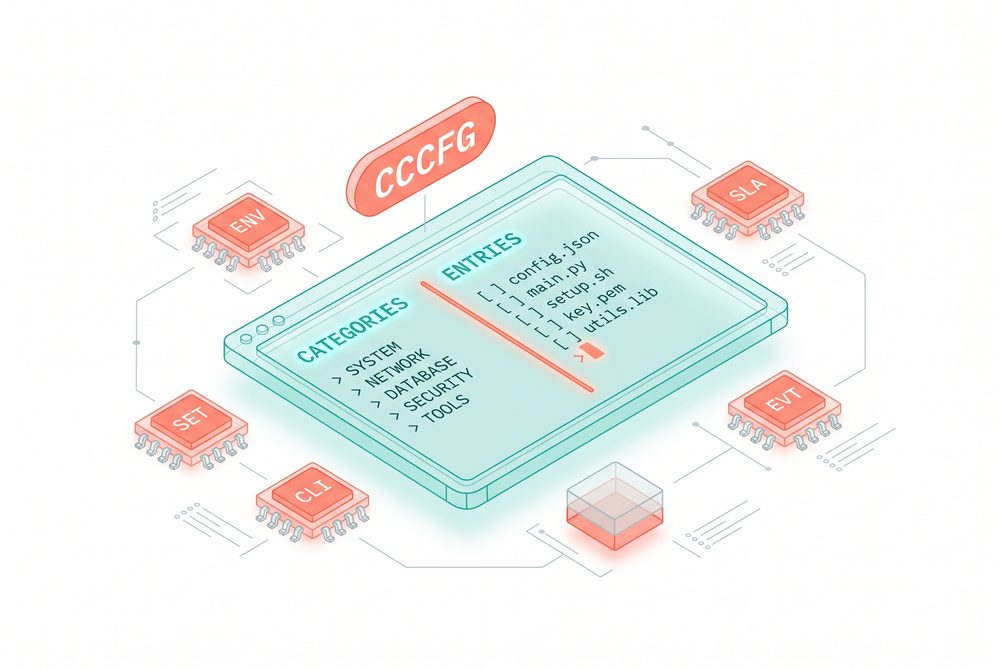
cccfg opens a two-column terminal interface. Categories on the left, the filtered entry list on the right.
Keyboard map:
jandkto navigate the entry list./to focus the search input. Search runs across name, summary, description, use case, and category.cto jump to the category list. Selecting a category filters the entries.Enter(orm) opens the manual page for the selected entry.Escreturns from the manual to the list.?opens the cookbook.qquits.
The manual page is the part of the tool that does the work. It is a full-screen modal that leads with the current value on this machine, read live from your environment or your ~/.claude/settings.json. Then summary, description, use case, example, default, and an exact snippet you can copy.
The live current-value lookup matters because the question I get most often is not "what does this setting do" but "what is this setting set to right now on this machine". For env vars, the answer comes from os.environ. For settings.json keys, it reads ~/.claude/settings.json directly. You can see at a glance whether something is set, what it is set to, and how it differs from the default.
Live, In-Place Editing of settings.json
The second interaction worth flagging is editing. For settings.json keys, the manual page accepts an e keystroke. That opens an edit modal pre-filled with the current value. You type a new value, JSON syntax is accepted and plain strings work too, and you press Ctrl+S to save.
What happens on save:
- A backup is created at
~/.claude/settings.json.bak. - The new value is written to a temp file.
- The temp file is atomically renamed to
~/.claude/settings.json.
Atomic rename plus pre-flight backup means a crash during the write cannot corrupt your settings.json. The backup means you can always recover the previous version. Both behaviors are non-negotiable for a tool that edits a config file your daily work depends on.
The d keystroke deletes a key entirely. Same atomic write, same backup.
For env vars and CLI flags, the edit key shows a hint instead of opening an editor. The right place to set those is your shell, the --bare flag, or the env block in settings.json. Direct file rewriting of a shell config from a TUI is a bad idea.
CLI Modes for Scripts
The TUI is the headline use case. For automation, cccfg also has headless modes:
`` cccfg --list # full catalog, grouped by category cccfg --search hooks # search across all entries cccfg --category Models # filter by category cccfg --kind settings # only settings.json keys cccfg --kind env # only env vars cccfg --json | jq # pipe-friendly JSON dump cccfg --cookbook # the cookbook the TUI shows ``
The JSON mode is the one that scales. Pipe it into jq, into a diff tool, into your CI. The recurring use cases I have hit so far:
- Pre-flight checks in CI. What env vars does my build expose that might affect Claude Code's behavior?
cccfg --json | jqagainstprintenv. - Documentation generation for an internal rollout. Filter to the categories your platform team cares about, render as markdown, ship to the internal wiki.
- Diffing config between machines.
cccfg --json | hash. Compare. The drift between developer machines is usually the cause of "works on my machine" reports. - Audit logs. Which settings.json keys did we override on this developer's machine versus the org default?
Five Recipes Worth Memorizing
The cookbook in the TUI has more. These are the five I reach for in client engagements.
Lock down a team's install. In your managed settings file: allowManagedHooksOnly, allowManagedMcpServersOnly, allowManagedPermissionRulesOnly, disableBypassPermissionsMode, strictPluginOnlyCustomization: ["skills", "hooks"]. The first three lock user-level customizations to org-approved ones. The fourth blocks --dangerously-skip-permissions even when the user passes it. The fifth says skills and hooks may only come from managed sources. Five settings, full lockdown.
Maximum privacy mode. DISABLE_TELEMETRY=1, DISABLE_ERROR_REPORTING=1, DISABLE_GROWTHBOOK=1, CLAUDE_CODE_DISABLE_FEEDBACK_SURVEY=1, CLAUDE_CODE_DISABLE_NONESSENTIAL_TRAFFIC=1. The last one is the strict one. It blocks all non-essential outbound traffic. The combination is what you need for regulated or air-gapped contexts.
Vault-backed auth. Set apiKeyHelper in settings.json to a script that prints your API key on stdout. The script can call 1Password CLI, HashiCorp Vault, AWS Secrets Manager, anything. Tune CLAUDE_CODE_API_KEY_HELPER_TTL_MS for how long results get cached. The result: no keys in dotfiles, no keys in environment dumps, no keys in process listings. This is the configuration every security team I have worked with asks for.
CI-clean run. claude --bare skips hooks, LSP, plugin sync, attribution, auto-memory, background prefetches, keychain reads, and CLAUDE.md auto-discovery. Auth becomes strictly ANTHROPIC_API_KEY or apiKeyHelper. Use this when you want a deterministic run with no harness baggage. The flag exists. It is in the catalog. It is rarely mentioned.
Bigger Bash outputs. BASH_DEFAULT_TIMEOUT_MS=300000, BASH_MAX_TIMEOUT_MS=900000, BASH_MAX_OUTPUT_LENGTH=500000. Defaults are conservative. If you run long migrations, large test suites, or anything where you want Claude to actually see the full output rather than a truncated tail, raise these.
Where cccfg Sits in Your Workflow
Two places, roughly.
When you are setting up a new machine or a new project, open cccfg. Walk through the categories that apply: Auth, Models, Permissions, Hooks, MCP, Privacy if relevant. Set the four or five values you care about. Save. The "manual page on Enter" pattern means you read about each setting before deciding.
When something stops working or behaves oddly, open cccfg. Search for the rough area: timeout, disable, compact, cache. Find the relevant settings. Check current values against defaults. Edit in place or copy the snippet into your settings.json.
The tool is small. Two Python files plus a data file. The whole catalog is data-driven, so the tool stays small as the catalog grows.
Install
`` pip install cccfg cccfg ``
That is the whole install. The source ships under MIT at https://pypi.org/project/cccfg/.
If you run into a setting in your day-to-day that is not in the catalog, open an issue. The discovered entries are the easy part. The high-value descriptions are the hand-written ones, and those grow as people contribute deployment notes from real environments.
Why This Exists
I built cccfg because I was tired of grepping through my own notes and tired of pretending the official /config was the whole story. The 434 env vars in the binary are real. The customers who pay me to roll Claude Code out at scale need to know what is in the box. The compliance teams need the full list. The platform teams need the full list. The developers who hit a weird behavior at 11pm and start searching need the full list.
The list is now a tool. The tool is small, keyboard-driven, ships with a book, and lives on PyPI. If you run Claude Code more than a few hours a week, install it.
pip install cccfg. The rest is on Enter.
Marco Kotrotsos, specializing in practical AI implementation for organizations ready to close the gap between AI hype and AI value. With 30 years of IT experience now focused purely on AI deployment, he works hands-on with companies to turn AI potential into measurable business outcomes.
This article is published in Autocomplete, a Medium publication about real-world AI for practitioners and decision-makers.
My free Substack newsletter, also called Autocomplete, can be found here: https://acdigest.substack.com.
Tool: https://pypi.org/project/cccfg/